JPG to PNG Converter
Convert JPG images to PNG format instantly – free, secure & high quality conversion without watermark.



JPG to PNG Converter Online – Free Image Tool
By Chandu | Updated on January 2026 | Free Image Tool
jpg to png converter is perfect when you need to remove backgrounds from photos or create transparent logos for websites and presentations. A free online image converter like this one solves common problems faced by designers, students, bloggers, and developers who struggle with JPG background removal, logo editing, or website upload issues.
Picture this: you have a nice product photo but it has a white background that clashes with your site design, your company logo is saved as JPG and looks weird on colored backgrounds, or a government form portal rejects your photo because it needs PNG format. These situations happen daily. ChanduSEOTool's JPG to PNG Converter Online works directly in your browser, requires no signup, and delivers instant results. Upload any JPG image, click convert, and download your PNG file with transparent background or high-quality output ready for professional use. No software installation, no watermarks, just clean PNG files for your projects.
Key Features of JPG to PNG Converter
- 100% free tool: Convert unlimited JPG files to PNG without any cost or daily limits.
- No signup required: Start converting immediately without accounts or email verification.
- High-quality output: PNG files maintain sharp edges and clear details from original JPG.
- Fast conversion: Process completes in seconds, even for larger images up to several MB.
- Works on mobile & PC: Use Chrome, Safari, or Firefox on phones, tablets, or desktops.
- Secure processing: Images processed in browser; no server storage of your files.
- No watermark: Clean PNG output without logos or text overlays.
- Beginner friendly: Simple three-click process works for anyone without design experience.
Why Choose Our JPG to PNG Converter?
| Feature | Our Tool | Other Tools |
|---|---|---|
| Free | ✔ | ❌ |
| Signup | ❌ | ✔ |
| Watermark | ❌ | ✔ |
| Speed | Fast | Slow |
| Mobile | ✔ | ❌ |
| Privacy | High | Low |
Table of Contents
What is JPG to PNG Converter?
A jpg to png converter changes JPG images (which always have solid backgrounds) into PNG format that supports transparency and lossless quality. JPG files use heavy compression that makes them smaller but can blur details, while PNG files keep every pixel sharp and can have transparent backgrounds.
Real-world difference: A JPG logo with white background looks ugly when placed on a blue website header. Convert it to PNG using an online jpg to png converter and the white background disappears, leaving just the logo shape that blends perfectly on any color.
Another example: Students screenshot assignment instructions as JPG, but teachers need clean PNG versions without background noise. Designers convert product photos from JPG to PNG to layer them over different backgrounds for mockups. The conversion process removes JPG compression artifacts and gives crisp, professional PNG output ready for any use.
Why Convert JPG to PNG?
For Transparent Background
Most JPG photos have solid white, black, or colored backgrounds. When you need to place that image over website headers, social media graphics, or presentations, the background clashes. A jpg to png transparent converter removes this background automatically, leaving only your subject (person, product, logo) with clean transparent edges.
This works great for e-commerce product images, profile avatars, stickers, and any graphic that needs to float over different colored backgrounds without ugly white boxes around it.
For Website Design
Websites load faster with optimized images, but PNG format gives you transparency that JPG cannot. Convert jpg to png for website logos, icons, buttons, and overlay graphics. Web developers use PNG for favicons, social media icons, and navigation elements that need to look clean on any page background.
Modern sites also use PNG sprites (combined images) where transparency helps images stack without gaps. Bloggers convert featured image JPGs to PNG when they need sections of the image to blend seamlessly with site themes.
For Logos
Company logos saved as JPG always have backgrounds that ruin professional appearance. A professional logo floats cleanly over business cards, email signatures, websites, and proposals. Using jpg to png converter online free, business owners and freelancers convert their JPG logos to transparent PNG in seconds.
Transparent PNG logos scale perfectly at any size without pixelation, unlike JPGs that blur when enlarged. Print shops also prefer PNG files because they maintain crisp edges for banners, flyers, and merchandise.
For High Quality Images
JPG compression discards tiny details to save space, making text, line art, and screenshots look blurry. PNG format keeps 100% of the original pixel data. Architects convert JPG floor plans to PNG for presentations, teachers convert JPG diagrams to PNG for worksheets, and developers convert JPG UI mockups to PNG for pixel-perfect documentation.
Screenshots especially benefit from JPG to PNG conversion because text stays readable and window edges remain sharp instead of having JPG compression artifacts.
How to Convert JPG to PNG Online
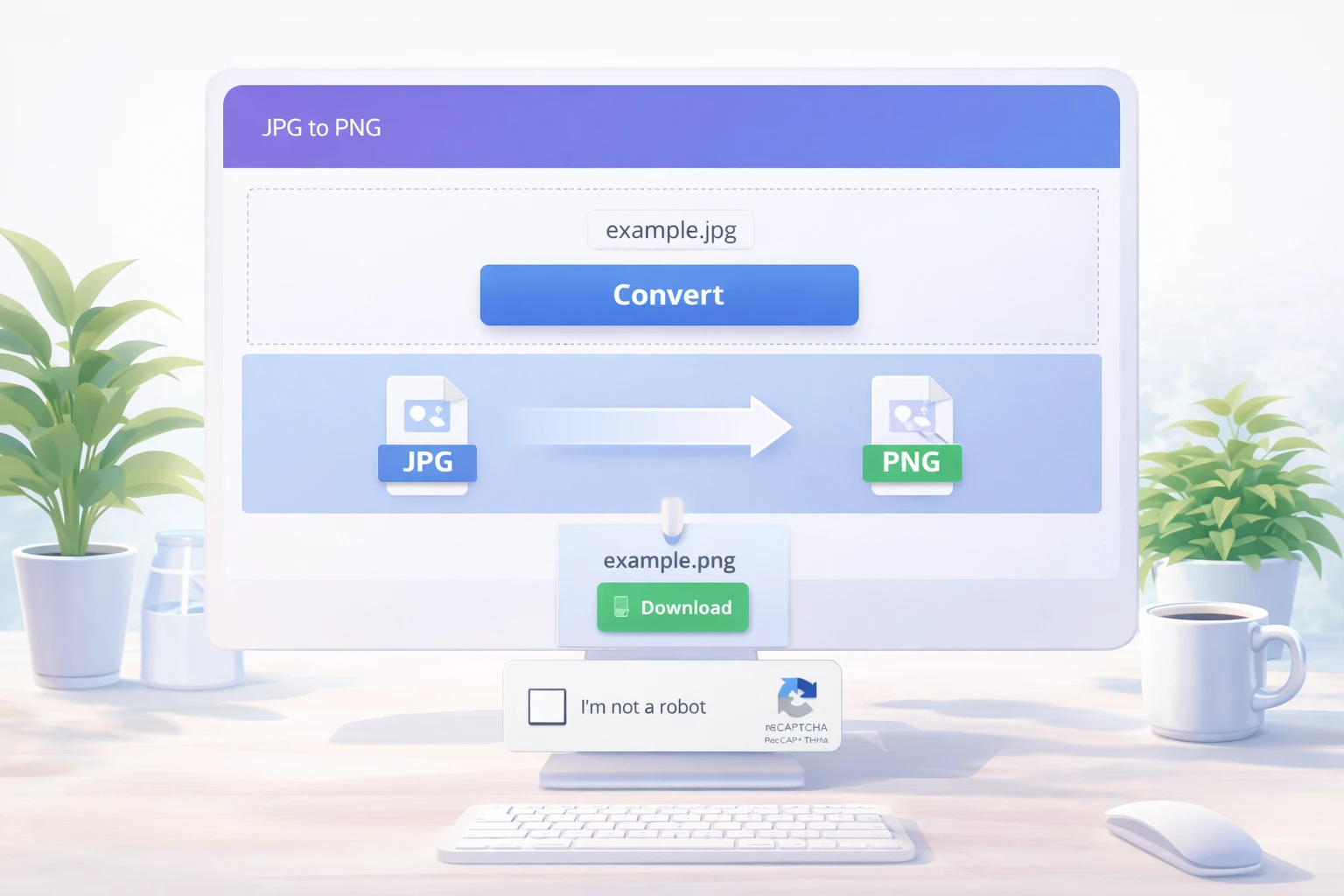
Step 1: Open ChanduSEOTool
Go to ChanduSEOTool.com and find the "JPG to PNG Converter Online" tool. It loads instantly in any modern browser without downloads or installations.
Step 2: Upload JPG Image
Click the upload area or drag your JPG file directly onto the page. The tool accepts standard JPG and JPEG files from cameras, phones, screenshots, or downloads. Large files work too, though smaller ones convert faster.
Step 3: Click Convert
With one click on the "Convert to PNG" button, the online jpg to png converter processes your image. You'll see a progress indicator and preview of the transparent result. The entire process takes 2-5 seconds typically.
Step 4: Download PNG
Click "Download PNG" to save your new transparent or high-quality PNG file. Name it clearly like "logo-transparent.png" or "product-no-bg.png" so you remember its purpose. The file is ready for immediate use in websites, documents, or design software.
Convert Without Losing Quality
JPG to PNG conversion actually improves quality because PNG uses lossless compression while JPG uses lossy compression. Your converted PNG retains every pixel from the original JPG without further degradation.
The tool uses smart processing to handle JPG compression artifacts, making edges cleaner and colors more accurate. For logos and text-heavy images, the difference is dramatic - blurry JPG text becomes sharp PNG text. Photos gain slight clarity as PNG eliminates JPG blockiness around high-contrast areas.
Pro tip: Always convert from your original high-resolution JPG for best results. Avoid converting already-compressed social media JPGs which have lost detail in previous compressions.
Supported Formats
- JPG: Standard photo format from cameras and phones
- JPEG: Same as JPG, just different extension
- PNG: Output format with transparency support
- WebP: Can convert WebP to PNG for compatibility
- HEIC: iPhone photos convertible to PNG
Common Issues & Fixes
Upload error: Check file is actually JPG/JPEG (not renamed PDF). Try different browser or refresh page. Very large files (>10MB) may need compression first.
Slow conversion: Close other tabs, use stable internet. Large detailed images take slightly longer but rarely exceed 10 seconds. Mobile 3G/4G works but WiFi is faster.
Browser compatibility: Use Chrome, Firefox, Safari, or Edge (latest versions). Avoid very old browsers. Enable JavaScript if disabled by security software.
PNG not transparent: JPGs don't contain transparency data. Use background removal tool first, then convert, or ensure subject contrasts clearly with background for auto-detection.
FAQs
How to convert JPG to PNG?
Upload JPG to ChanduSEOTool's converter, click "Convert to PNG", then download. Complete process takes under 10 seconds with automatic background removal where needed.
Is it free?
Yes, jpg to png free with no limits, watermarks, or signup. Convert unlimited images daily for personal and commercial use.
Quality loss hota hai?
Nahi, actually quality improve hoti hai. PNG lossless format hai jo JPG ke compression artifacts ko fix kar deta hai. Text, logos, aur edges crisp ho jaate hain.
Mobile support hai?
Haan, convert jpg to png on mobile bilkul easy hai. Chrome ya Safari mein open karo, gallery se JPG select karo, PNG download ho jayega phone mein.
Signup required hai?
Nahi, koi account ya registration nahi chahiye. Direct browser mein kaam karta hai, shared computers par bhi safe use kar sakte ho.
Data safe hai?
Haan, images browser mein process hote hain, server par store nahi. Sensitive files ke liye apna trusted device use karo aur download ke baad delete kar do.
Multiple images convert kar sakte hain?
Batch jpg to png converter nahi hai abhi, lekin ek-ek karke fast hai. 10 images bhi 2 minutes mein ho jaate hain.
Transparent PNG milega?
Haan, jpg to png transparent background automatic detect karta hai jab subject aur background clearly different hain. Complex images ke liye background remover pehle use karo.
Most Useful Image Tools by ChanduSEOTool
Conclusion
ChanduSEOTool ka JPG to PNG Converter designers, students, bloggers, aur developers ke liye perfect solution hai jab transparent backgrounds, crisp logos, ya high-quality images chahiye. Browser-based tool free hai, fast hai, aur watermark-free PNG deta hai jo websites, presentations, aur print ke liye ready hota hai.
Try JPG to PNG Converter Now
Convert images instantly – free, secure & no signup required.
Convert JPG to PNG Converter→

Popular Tools
Recent Posts


