How to Download a YouTube Channel Logo or Profile Picture
Use a YouTube channel URL or @username to find the available channel logo or profile picture and review the download options.
By ChanduSEOTool | Updated September 2026
A YouTube channel logo, also commonly called a channel profile picture, is one of the easiest ways to recognize a creator across YouTube. It can appear beside videos, comments, search results, channel pages, subscriptions and other areas of the platform.
Sometimes you may need to view or save an available channel profile picture for legitimate research, reference, collaboration, design comparison or documentation. Instead of taking a screenshot and cropping it manually, a YouTube Channel Logo Downloader can help you locate the available image associated with a public channel.
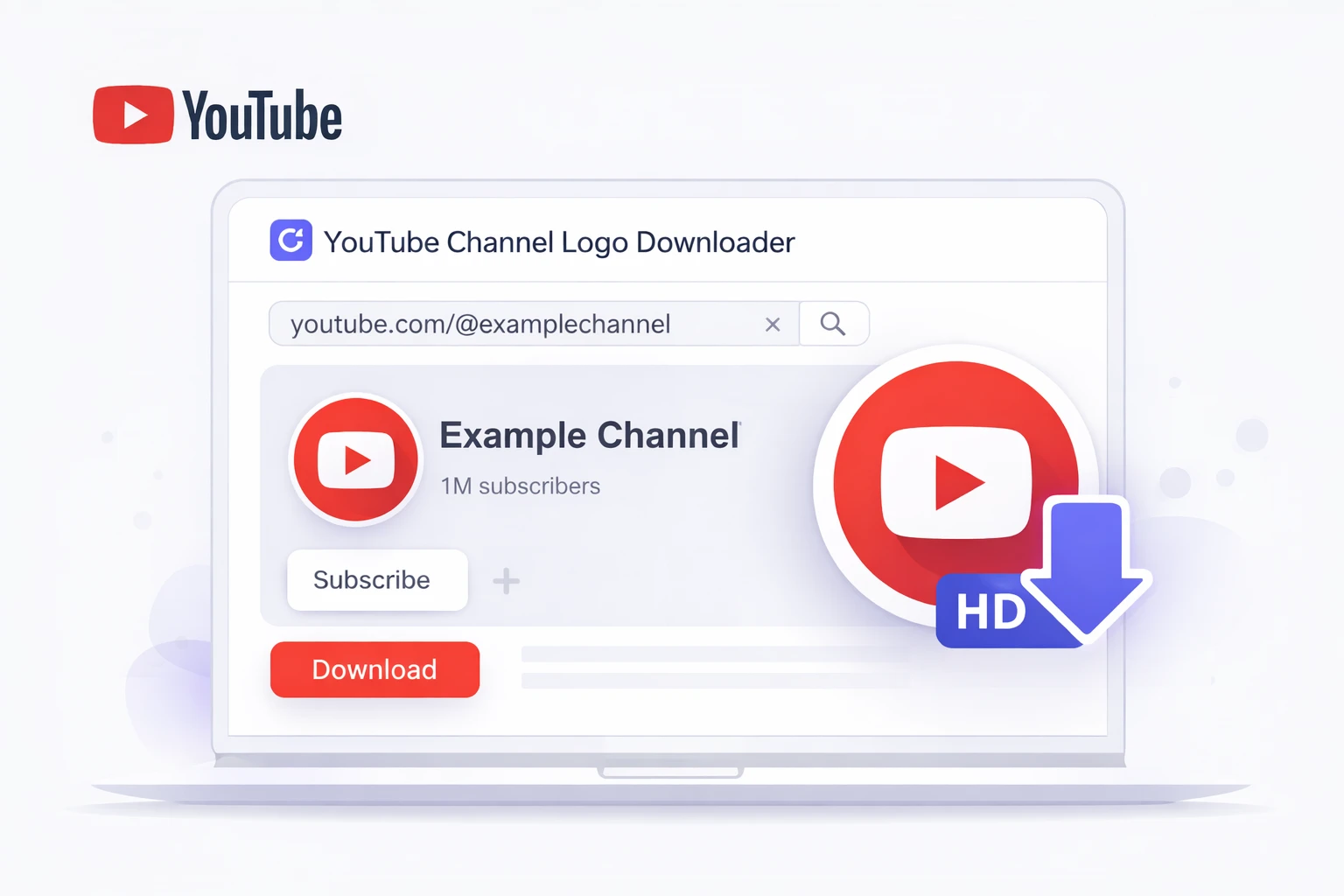
ChanduSEOTool's YouTube Channel Logo Downloader is designed to work with supported YouTube channel information such as a channel URL or @username. After processing the input, the tool can show available profile-picture information and provide download options where supported.
This guide explains how the process works, what a YouTube channel logo actually is, how to choose an appropriate image version, common problems you may encounter, and how to use downloaded images responsibly.
Table of Contents
- What Is a YouTube Channel Logo?
- Channel Logo vs Profile Picture
- What Does a YouTube Channel Logo Downloader Do?
- Supported Input Types
- How to Download a YouTube Channel Logo
- Understanding the Available Download Options
- How to Choose the Right Image Quality
- Common Uses for a Channel Logo
- Channel Logo vs Banner vs Thumbnail
- Copyright, Branding and Responsible Use
- Common Problems and Solutions
- Tips for Your Own YouTube Channel Profile Picture
- Using Channel Logos for Research
- Related YouTube Tools
- Frequently Asked Questions
What Is a YouTube Channel Logo?
A YouTube channel logo is the image used to visually represent a channel. On YouTube, this image is generally shown as the channel's profile picture or avatar.
It may contain:
- A personal photograph
- A company or brand logo
- Initials or typography
- A mascot
- An illustration
- A simple symbol or icon
The same basic image may be displayed at different sizes depending on where a viewer encounters the channel.
For example, the profile picture may appear next to a comment at a relatively small size, while the channel page may display a larger version.
Because the same image is reused across different parts of YouTube, creators often choose a design that remains recognizable even when displayed small.
YouTube Channel Logo vs Profile Picture
The terms YouTube channel logo and YouTube profile picture are often used to describe the same visual element.
A business channel may refer to it as a logo, while a personal creator may call it a profile picture or avatar.
In practical terms, both searches usually refer to the image displayed beside the channel's identity.
This is different from a YouTube channel banner, which is the wider image displayed across the top area of a channel page.
What Does a YouTube Channel Logo Downloader Do?
A YouTube Channel Logo Downloader helps you locate and save the available profile-picture image associated with a supported public YouTube channel.
Rather than manually:
- Taking a screenshot
- Cropping the image
- Trying to remove surrounding interface elements
- Searching through page code
you can enter the channel information into the tool and review the result in one place.
ChanduSEOTool's tool is intended to simplify this process for users who need a straightforward way to inspect an available channel profile image.
Supported Input Types
The current ChanduSEOTool interface is designed around common forms of YouTube channel identification.
YouTube Channel URL
You can use a supported channel URL copied from YouTube.
For example:
https://www.youtube.com/@channelname
A channel URL is usually the clearest option because it directly identifies the channel you want to inspect.
YouTube @Username or Handle
You can also use a supported YouTube handle such as:
@channelname
This can be more convenient than copying the full channel URL.
Why Accurate Input Matters
Channel names can sometimes be similar, so using a direct URL or correct @username reduces the chance of selecting the wrong channel.
Before downloading anything, always check that the displayed result matches the creator or brand you intended to find.
How to Download a YouTube Channel Logo
The process is simple and does not require manually inspecting the YouTube page source.
Step 1: Open the YouTube Channel
Visit the public YouTube channel whose profile picture you want to inspect.
Step 2: Copy the Channel URL or @Username
Copy the channel URL from your browser or note the channel's @username.
Step 3: Open the ChanduSEOTool Downloader
Open the YouTube Channel Logo Downloader.
Step 4: Enter the Channel Information
Paste the supported channel URL or enter the @username into the available input field.
Step 5: Start the Lookup
Use the tool's action button to process the channel information.
The tool will attempt to locate the available public profile-picture data for that channel.
Step 6: Verify the Result
Check the returned channel information and image before downloading.
Make sure:
- The channel is the correct one
- The displayed profile picture matches the current channel
- The image quality is suitable for your intended use
Step 7: Choose an Available Download Option
If more than one image option is available, choose the version that best suits your purpose.
For general editing or reference work, a higher-resolution available version usually gives you more flexibility than a very small image.
Understanding the Available Download Options
Profile images may be available in more than one served size or resolution.
The exact dimensions available can vary depending on the image data returned for the channel and how YouTube currently serves profile images.
Instead of assuming that every channel will provide exactly the same sizes, review the choices displayed by the tool.
Smaller Image Versions
Smaller versions can be useful when the image is only needed as a small visual reference.
Possible uses include:
- Research notes
- Compact comparison tables
- Internal presentations
- Small interface mockups
Higher-Resolution Available Versions
A larger available image is usually better if you need to:
- Inspect design details
- Create a presentation
- Prepare a permitted collaboration graphic
- Compare channel branding
- Resize the image later
Starting with a larger available image is generally more flexible because downsizing an image normally preserves more detail than enlarging a very small source.
How to Choose the Right Image Quality
The best image version depends on what you plan to do with it.
For Simple Reference
If you only need to identify a channel in your research notes, a smaller image may be sufficient.
For Presentations
Choose a larger available version so the image remains clear when shown on a slide or larger screen.
For Editing
If you have permission to use the image in an edit, start with the highest suitable version available through the tool.
For Website Use
Use an appropriately sized image rather than uploading a much larger file than necessary.
This can help reduce unnecessary page weight.
Avoid Unnecessary Upscaling
If only a small source image is available, enlarging it significantly may make it appear soft or pixelated.
A downloader cannot create genuine image detail that is not present in the original source.
Common Uses for a YouTube Channel Logo
There are several legitimate reasons someone may want to inspect or save a public channel profile image.
Brand Research
Designers and marketers may compare how different channels visually represent themselves.
For example, you might study:
- Color choices
- Typography
- Personal photos vs graphic logos
- Minimal vs detailed designs
- How branding differs by content category
Competitor Research
A channel profile picture can be one small part of a wider competitor-research project.
However, visual branding should be analyzed together with other information such as:
- Channel description
- Video topics
- Upload patterns
- Thumbnails
- Titles
- Public statistics
Collaboration Preparation
Creators working together may need a partner's profile picture for an approved thumbnail, announcement, presentation or collaboration asset.
When using another creator's branding, permission and context still matter.
Journalism and Reference
A profile image may also be useful for documenting or identifying a public channel when preparing research, reporting or reference material.
Educational Projects
Students and educators may compare creator branding as part of lessons on digital media, visual identity or online communities.

YouTube Channel Logo vs Banner vs Thumbnail
These three image types have different purposes.
Channel Logo or Profile Picture
Represents the channel itself and appears beside the creator's identity across YouTube.
Channel Banner
The banner is the wider graphic displayed across the channel page and may include branding, schedules, slogans or other visual information.
If you need that image instead, use the YouTube Channel Banner Downloader.
Video Thumbnail
A thumbnail belongs to an individual video rather than the whole channel.
Creators usually design thumbnails to communicate the subject of a specific video and encourage viewers to understand what the video is about.
These three image types should not be treated as interchangeable.
Copyright, Branding and Responsible Use
Being able to view or download a publicly accessible profile picture does not automatically give you ownership or unlimited permission to reuse it.
Channel profile images may contain:
- Copyrighted artwork
- Brand logos
- Trademarks
- Personal photographs
- Licensed design elements
The rights associated with an image depend on the image itself, the owner, the intended use, applicable platform rules and the law that applies in your location.
Because legal rules can vary, this guide should not be treated as legal advice.
Good Practices
- Use images only for purposes you are permitted to carry out.
- Do not impersonate another creator or brand.
- Do not imply sponsorship or endorsement where none exists.
- Provide attribution when appropriate.
- Ask the rights holder for permission when your planned use requires it.
- Be especially careful with commercial advertising, merchandise and promotional use.
Public Does Not Mean Copyright-Free
A profile picture being visible publicly on YouTube does not mean the image has entered the public domain.
Always separate the technical ability to save an image from the legal or contractual right to reuse it.
Common Problems and Solutions
The Tool Cannot Find the Channel
Check that you entered a supported channel URL or correct @username.
Avoid:
- Typing the handle incorrectly
- Entering a video URL when the tool expects a channel identifier
- Using an unrelated page URL
- Leaving extra spaces in the input
The Wrong Channel Appears
Similar channel names can cause confusion.
Use the direct channel URL or exact @username whenever possible and verify the displayed channel before downloading.
No Profile Picture Is Available
A result may not be available if the channel cannot be resolved, the public image data is unavailable, or YouTube's response has changed.
Try confirming that the channel currently displays a visible profile picture on YouTube.
The Image Looks Blurry
A small image may look unclear when enlarged.
If the tool provides multiple available image versions, choose a larger suitable option.
The Image Looks Different from the Channel Page
Possible reasons include:
- The creator recently changed the profile picture
- Cached data is still being refreshed
- The browser is displaying a previously loaded version
Refresh both the YouTube page and the downloader result before comparing them.
The Browser Does Not Save the File
Browser download behavior varies by device and browser settings.
Check whether:
- Downloads are allowed
- The browser requested permission
- The file opened in a new tab instead
- Your device saved it to a Downloads or Files folder
Tips for Your Own YouTube Channel Profile Picture
Researching other channel logos can be useful, but your own profile picture should remain distinctive and appropriate for your brand.
Keep the Main Subject Clear
Channel profile images are often displayed small, so a simple main subject can be easier to recognize than a highly detailed composition.
Avoid Very Small Text
Fine text may become difficult to read when YouTube displays the image at a small size.
Think About Circular Display
Although the source image may be square, YouTube commonly presents profile pictures within a circular shape.
Keep important visual elements near the center so they are less likely to be affected by cropping.
Use Consistent Branding
If your channel is associated with a website, social account or business, consistent visual identity can make the channel easier to recognize.
Test at Small Size
Before finalizing your own profile picture, reduce it on screen and check whether the design is still understandable.
Using Channel Logos for YouTube Research
A profile picture alone does not tell you why a channel succeeds.
For useful research, combine visual analysis with other publicly available information.
Step 1: Select Comparable Channels
Choose channels that cover similar topics or target similar audiences.
Step 2: Save or Document the Profile Images
Use the downloader to inspect the available profile pictures.
Step 3: Compare Visual Patterns
Look for differences in:
- Colors
- Typography
- Photography
- Icons
- Brand symbols
- Visual simplicity
Step 4: Compare the Channel Banners
The banner often provides additional branding context that the profile picture cannot show.
Step 5: Review Public Channel Statistics
You can use the YouTube Channel Statistics tool to review available public channel information separately.
Step 6: Do Not Assume Branding Caused Performance
A channel with a strong logo may also have:
- Years of publishing history
- A large existing audience
- High-quality videos
- Strong thumbnails
- Popular topics
- Consistent uploads
Visual branding is one part of the overall channel identity, not proof of why a channel gained views or subscribers.
Can a YouTube Channel Logo Downloader Improve SEO?
The downloader itself does not improve YouTube rankings.
It is primarily a research and image-access utility.
For example, you can use it to study branding patterns or prepare permitted research materials, but downloading another channel's profile picture does not make your own videos rank higher.
For content research, you may also find tools such as the YouTube Tag Extractor or YouTube Video Statistics useful for examining other types of public video information.
Should You Copy Another Channel's Logo Style?
Research can provide inspiration, but copying a distinctive logo, character, trademark or brand identity can create confusion and may raise intellectual-property concerns.
A better approach is to study broad principles.
For example:
- Is the design simple?
- Does it remain visible at small size?
- Does it use strong contrast?
- Is the central subject recognizable?
- Does the image match the channel's overall branding?
Use those observations to create your own original visual identity.
Related ChanduSEOTool YouTube Tools
- YouTube Channel Logo Downloader – locate available channel profile-picture images from supported channel information.
- YouTube Channel Banner Downloader – inspect available channel banner images.
- YouTube Channel Statistics – review available public channel statistics and information.
- YouTube Video Statistics – inspect public information associated with an individual video.
- YouTube Tag Extractor – review available video tag metadata for content research.
- YouTube Description Extractor – inspect the description associated with a supported public video.
- YouTube Title Extractor – review video title information.
Frequently Asked Questions
What is a YouTube Channel Logo Downloader?
It is a tool that helps locate an available public profile-picture image associated with a supported YouTube channel and provides a way to review or save the result.
Is a YouTube channel logo the same as a profile picture?
In most everyday searches, people use both terms to refer to the image representing the channel.
Can I use a YouTube channel URL?
The current ChanduSEOTool interface is designed to accept supported channel information such as a channel URL.
Can I use a YouTube @username?
Yes, the tool interface also supports @username or handle-based input where supported.
Can I download every YouTube channel profile picture?
Not necessarily. Results depend on whether the channel can be resolved and whether the required public image data is available.
Does every channel provide the same image sizes?
Not necessarily. Review the image options returned for the channel rather than assuming that every result will have identical dimensions.
Which image size should I choose?
Choose based on your intended use. A larger available version is generally more flexible for permitted editing or detailed review, while a smaller image may be enough for basic reference.
Can the tool improve a blurry source image?
No. A downloader can retrieve available image versions, but it cannot create genuine detail that is not present in the source.
Can I use another creator's logo commercially?
Usage rights depend on the image, rights holder, intended use and applicable rules. Public availability does not automatically provide commercial-use permission. Seek appropriate permission when required.
Can I use a downloaded profile picture in a collaboration?
If you have permission from the creator or otherwise have the necessary rights for the planned use, the image may be useful for collaboration graphics or reference materials.
Does the tool own downloaded logos?
Using a downloader does not transfer ownership of another creator's image to you.
What is the difference between a channel logo and a banner?
The profile picture represents the channel in a compact format, while the channel banner is a wider visual displayed on the channel page.
Why does the image sometimes look outdated?
A creator may have recently changed the channel image, or a cached version may still be visible temporarily. Refresh the pages and compare again.
Can I download the image on a mobile device?
Browser behavior varies by device. If the tool returns a downloadable image, your browser or operating system determines where the file is saved or opened.
Can I use a video URL instead of a channel URL?
For this tool, it is better to use the supported channel identifier requested by the interface, such as the channel URL or @username.
Does downloading a competitor's logo reveal their YouTube strategy?
No. A profile image can support visual branding research, but it does not reveal why a channel ranks, receives recommendations or gains subscribers.
Download a YouTube Channel Logo for Responsible Research and Reference
A YouTube Channel Logo Downloader can save time when you need to inspect an available channel profile picture without relying on screenshots or manual cropping.
Use the channel URL or @username, verify that the correct channel has been found, review the available image options and choose the version that fits your permitted use.
For branding research, compare profile pictures alongside banners, thumbnails, channel information and public statistics rather than treating the logo as an isolated signal.
Most importantly, remember that downloading an image and having permission to reuse it are separate issues. Respect creator ownership, avoid impersonation, and obtain permission where necessary.
When you are ready to inspect a supported public channel profile picture, open the ChanduSEOTool YouTube Channel Logo Downloader.

Popular Tools
Recent Posts


