YouTube Channel Search
Find YouTube Channels by Name, Country & Relevance in Seconds



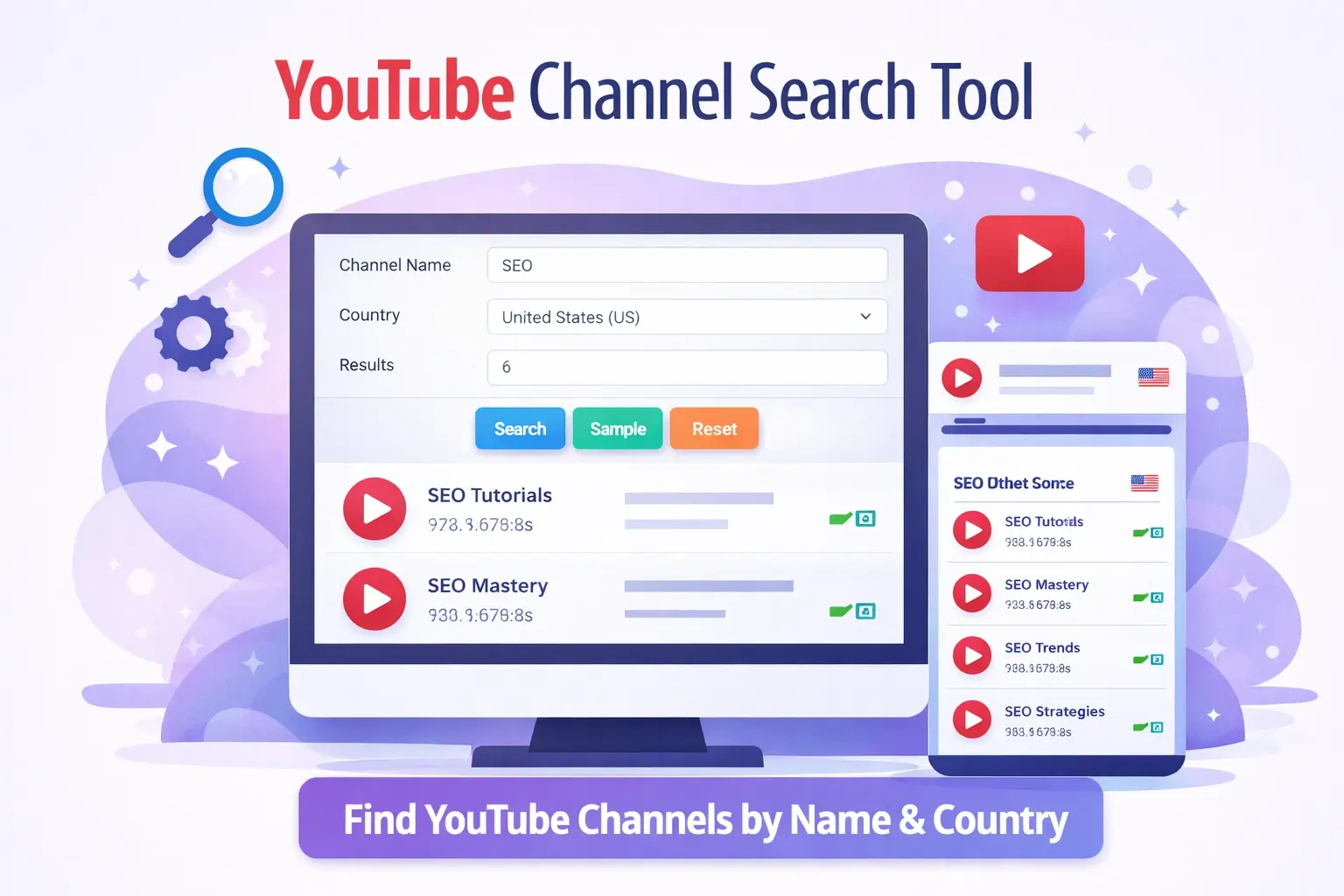
YouTube Channel Search - Find Channels by Keyword, Niche & Country
By Chandu, SEO Expert | | Free Channel Discovery Tool
Why Finding the Right YouTube Channels Is Harder Than It Should Be
Imagine you're a fitness content creator looking for collaboration opportunities with channels in your niche. You open YouTube, type "fitness channels," and get millions of random video results—but no organized list of actual channels. YouTube's search is optimized for videos, not channel discovery. Scrolling through endless results, clicking profiles one by one, and manually filtering by location wastes hours that could be spent creating content.
Digital marketers face the same frustration when researching competitors, influencer marketing agencies struggle to find niche creators for brand partnerships, and SEO professionals need efficient ways to analyze YouTube ecosystems. YouTube's built-in search simply wasn't designed for comprehensive channel research. It prioritizes viral videos over channel discovery, lacks advanced filtering options, and provides no way to search channels by country, subscriber count, or niche relevance.
This is where a dedicated YouTube Channel Search tool becomes essential. ChanduSEOTool's free channel finder solves these exact problems—enabling instant discovery of relevant channels by keyword, location, and customizable result limits. Whether you're researching competitors, seeking collaboration partners, analyzing market trends, or conducting academic research, our tool delivers organized, actionable channel data in seconds instead of hours
Table of Contents
- YouTube Channel Search - Find Channels by Keyword, Niche & Country
- Why Finding the Right YouTube Channels Is Harder Than It Should Be
- What Is YouTube Channel Search?
- Where and How YouTube Channels Appear in Search Results
- Why You Need a YouTube Channel Search Tool (Real-World Use Cases)
- How to Use ChanduSEOTool's YouTube Channel Search (Step-by-Step Guide)
- What Data and Insights Users Can Discover
- Benefits of Using YouTube Channel Search
- Legal and Ethical Use Guidelines
- Common Problems and Solutions
- Why Choose ChanduSEOTool's YouTube Channel Search?
- 100% Free Tool with No Hidden Costs
- No Login or Registration Required
- No Watermarks or Branding on Results
- Lightning-Fast Results
- Accurate and Up-to-Date Channel Data
- Mobile-Friendly Responsive Design
- Built Specifically for Creators and Marketers
- Part of the Comprehensive YouTube Toolkit
- Safe, Secure, and Ethical
- Frequently Asked Questions (FAQ)
- Is YouTube Channel Search free?
- Can I search YouTube channels by country?
- Is this YouTube channel search tool safe and legal?
- Who should use the YouTube Channel Search?
- Does YouTube Channel Search work on mobile?
- How many results can I get per search?
- What information does the tool provide about channels?
- Why aren't all YouTube channels appearing in results?
- Conclusion: Start Discovering YouTube Channels Smarter, Not Harder
What Is YouTube Channel Search?
A YouTube Channel Search tool is a specialized discovery platform that helps users find YouTube channels based on specific criteria like keywords, niches, and geographic locations. Unlike YouTube's default search that mixes videos, playlists, and channels in a cluttered interface, a dedicated channel search tool focuses exclusively on discovering creator profiles and channel pages.
YouTube Default Search vs Advanced Channel Search
| Feature | YouTube Default Search | ChanduSEOTool Channel Search |
|---|---|---|
| Primary Focus | Videos and trending content | Channel discovery only |
| Country Filtering | Limited, buried in settings | Built-in dropdown, 190+ countries |
| Result Customization | No control over quantity | Set exact result limits (1-50+) |
| Keyword Targeting | Broad, video-focused matches | Channel name/niche-specific targeting |
| Interface | Cluttered with ads, recommendations | Clean, focused, no distractions |
| Research Efficiency | Manual filtering required, time-consuming | Instantly organized results, export-ready |
ChanduSEOTool's YouTube Channel Search streamlines the discovery process by allowing users to input specific keywords (like "SEO," "cooking," "gaming"), select target countries from a comprehensive dropdown menu, and receive curated channel lists instantly . This targeted approach eliminates the noise of irrelevant video results and focuses exclusively on finding creator profiles that match your research criteria.
Where and How YouTube Channels Appear in Search Results
Understanding YouTube's channel visibility ecosystem helps you leverage channel search tools more effectively:
Geographic and Algorithmic Discovery
Country-Based Discovery: YouTube's algorithm prioritizes showing channels from viewers' geographic regions. A fitness channel in the United States appears more prominently to US viewers, while Indian tech channels dominate discovery for Indian audiences. Our tool's country filter lets you bypass algorithmic location bias and discover channels from any region—essential for global market research or international collaboration opportunities.
Niche-Based Visibility: Channels establish niche authority through consistent content themes, video tags, descriptions, and viewer engagement. SEO-focused channels like "SEO tips" rank when users search for SEO content. Marketing agencies searching for "digital marketing" find relevant business channels. Our keyword search targets these niche identifiers directly.
Creator Ecosystems
- SEO & Digital Marketing: Channels teaching SEO strategies, Google rankings, and content optimization
- Business & Entrepreneurship: Startup advice, productivity, passive income channels
- Education & Tutorials: How-to channels, online courses, skill development
- Entertainment & Gaming: Gaming walkthroughs, reaction videos, comedy sketches
- Lifestyle & Vlogging: Daily vlogs, travel, personal development
Each ecosystem has unique discovery patterns. Educational channels prioritize searchability, entertainment channels rely on recommendations, and business channels target specific keywords. Channel search tools help you navigate these ecosystems efficiently.
Why You Need a YouTube Channel Search Tool (Real-World Use Cases)
Competitor Research and Analysis
Understanding your competitive landscape is essential for YouTube success. Use channel search to identify competitors in your niche, analyze their content strategies, posting frequency, thumbnail designs, and engagement tactics. For example, a tech reviewer searching "smartphone reviews" discovers competing channels, studies their approach, and identifies content gaps to exploit. Marketing agencies use channel search to benchmark client performance against competitors.
Influencer Marketing and Brand Partnerships
Brands spending thousands on influencer campaigns need efficient discovery tools. Instead of hiring expensive agencies, marketing teams use YouTube channel search to find micro-influencers (10K-100K subscribers) in specific niches and regions. A sustainable fashion brand searches "eco-friendly fashion" + "United States" to find relevant creators for product collaborations. This targeted approach reduces costs and improves campaign ROI.
Content Inspiration and Trend Analysis
Content creators suffering from creative blocks use channel search to discover what's working in their niche. Searching "productivity tips" reveals successful channels, their most popular video formats, and trending topics. Creators adapt these insights to their unique style, avoiding direct copying while learning from proven strategies. Staying current with niche trends prevents content stagnation.
Outreach and Collaboration Opportunities
Growing on YouTube often requires collaboration with similar-sized channels. A cooking channel with 50K subscribers searches "vegan recipes" to find channels for collab videos, cross-promotion, or guest appearances. Podcasters search for interview guests, agencies find clients, and service providers discover potential customers—all through strategic channel discovery.
Market and Niche Research
Entrepreneurs validating business ideas use channel search to assess market saturation. Searching "online courses" reveals how many education channels exist, their specializations, and untapped opportunities. Investors research YouTube market trends before funding creator economy startups. Researchers analyze content creator demographics across regions.
Educational and Academic Research
Students studying digital media, communications, or marketing need data on YouTube ecosystems. Channel search enables academic analysis of content strategies, geographic trends, and niche popularity. Professors incorporate real-world channel data into the curriculum, and thesis researchers quantify creator economy growth.
How to Use ChanduSEOTool's YouTube Channel Search (Step-by-Step Guide)
Our tool is designed for instant results with minimal input. Follow these simple steps:
Step 1: Enter Channel Keyword or Name
In the "Channel Name" field at the top of the tool, type your search keyword or specific channel name. Examples:
- Niche Keywords: "SEO," "fitness," "gaming," "cooking."
- Specific Terms: "digital marketing tips," "vegan recipe.s"
- Exact Channels: Type partial channel names to find specific creators
The tool accepts keywords in any language but works best with English terms for global discovery.
Step 2: Select Target Country
Click the "Country" dropdown menu showing "United States (us)" by default Choose from 190+ countries, including:
- United States, United Kingdom, Canada, Australia
- India, Pakistan, Bangladesh, Philippines
- Germany, France, Spain, Italy
- Brazil, Mexico, Argentint
- All other global regions
Select "All Countries" for worldwide results or narrow to specific regions for targeted research.
Step 3: Set Result Limit
In the "Result" field, enter how many channels you want to discover (default: 6). Options:
- 1-10 Results: Quick competitor checks
- 10-20 Results: Standard research
- 20-50 Results: Comprehensive market analysis
Higher limits provide more data but take slightly longer to process. Start with 6-10 for initial discovery.
Step 4: Complete Security Verification
Check the "I'm not a robot" reCAPTCHA box to verify you're a human user. This security measure prevents automated abuse and ensures the tool remains free for legitimate users. Verification takes 1-2 seconds.
Step 5: Click the Search Button
Press the bright blue "Search" button to execute your query. The tool processes your request instantly, querying YouTube's public database and filtering results by your criteria. Results appear within 2-5 seconds, depending on connection speed.
Step 6: Review and Analyze Results
Browse the organized list of channels matching your search. Each result typically includes:
- Channel name and clickable URL
- Country/region information
- Niche relevance indicators
- Discovery date/timestamp
Open channels in new tabs for deeper analysis, save URLs for outreach lists, or export data for reports.
Optional: Use Sample or Reset Functions
Sample Button (Teal): Test the tool with a pre-loaded example search. Perfect for first-time users to understand functionality.
Reset Button (Orange): Clear all fields and start a fresh search without page refresh. Convenient for multiple sequential searches.
What Data and Insights Users Can Discover
ChanduSEOTool's YouTube Channel Search provides actionable intelligence beyond simple channel names:
Channel Identification and URLs
Receive direct links to channel homepages, eliminating manual search frustration. Clickable URLs enable instant profile access for detailed investigation of content libraries, about pages, and social media links.
Niche Relevance Scoring
Channels are filtered by keyword relevance, ensuring results match your search intent. Searching "SEO" returns SEO-focused channels, not random creators who mentioned the term once. This precision saves hours compared to YouTube's broad search.
Geographic Distribution
Country filtering reveals where creators in your niche concentrate. Discovering that most "tech review" channels are US-based while "cricket commentary" dominates India informs market entry strategies and collaboration targeting.
Discovery Opportunities
Find underserved niches with few competing channels, identify rising creators before they gain massive followings, and spot emerging trends by analyzing channel creation dates and recent uploads. Early discovery creates collaboration advantages.
Competitive Intelligence
Compile comprehensive competitor lists for ongoing monitoring. Track new channel launches in your space, identify gaps in competitor content, and discover what established channels prioritize. This intelligence shapes your content calendar and differentiation strategy.
Benefits of Using YouTube Channel Search
Massive Time Savings
Manual channel discovery takes 2-4 hours for comprehensive niche research. Our tool delivers equivalent results in under 5 minutes. That's 95%+ time savings—hours reclaimed for content creation, strategy development, or client work.
Accurate and Niche-Targeted Results
Unlike YouTube's algorithm that mixes irrelevant content, our tool's keyword and country filters ensure laser-focused results. Every channel returned matches your exact criteria, eliminating manual filtering and false positives.
Useful for SEO and Marketing Professionals
SEO specialists analyze YouTube ecosystems to understand content competition, identify link-building opportunities through creator outreach, and develop video SEO strategies. Marketing agencies use channel data for influencer campaign planning and competitive benchmarking.
Beginner-Friendly Interface
No technical knowledge required. The clean, purple-themed interface features intuitive input fields, clearly labeled buttons, and instant results. First-time users complete successful searches within 30 seconds without tutorials or documentation.
Data-Driven Decision Making
Replace guesswork with concrete channel data. Instead of assuming competitors or collaboration partners, see exactly who operates in your space. Quantifiable results enable strategic planning, budget allocation, and opportunity prioritization.
Unlimited Search Capability
No daily limits, no search quotas, no "upgrade for more" restrictions. Conduct as many searches as needed for comprehensive research. Compare multiple niches, test different keywords, and explore various countries without constraints.
Legal and Ethical Use Guidelines
ChanduSEOTool's YouTube Channel Search operates within legal boundaries and ethical best practices:
Public Data Access Only
The tool accesses exclusively public information that anyone can find manually through YouTube's platform. No private data, unlisted channels, or restricted information is accessed. We simply streamline the discovery process for publicly available creator profiles.
No Privacy Violations
Channel names, URLs, and basic information displayed by YouTube publicly are included in results. No personal contact information, analytics data, or private channel details are extracted or displayed. Users cannot access data channel owners haven't publicly shared.
Responsible Research and Analysis
Use discovered channel information for legitimate purposes: competitive research, collaboration outreach, market analysis, educational study, and content inspiration. Do not use data for harassment, spam, impersonation, or malicious purposes.
Respecting Creator Rights
Channel discovery should inspire original content, not plagiarism. Study competitor strategies to understand what works, then create unique content reflecting your perspective. Never steal thumbnails, copy video ideas verbatim, or impersonate other creators.
Compliance with YouTube Terms
Our tool complies with YouTube's Terms of Service by accessing only public API data and respecting rate limits. Users should similarly comply with YouTube policies when acting on discovered channel information—especially regarding spam, impersonation, and harassment rules.
Common Problems and Solutions
Problem: No Results Found
Solution: Your keyword may be too specific or misspelled. Try broader terms ("fitness" instead of "ketogenic bodybuilding for beginners"). Verify spelling and use common industry terminology. Check if the selected country has active channels in that niche—some niches concentrate in specific regions.
Problem: Wrong or Irrelevant Channels Appearing
Solution: Refine your keyword to be more specific. "Gaming" returns millions of channels across all game types; "Minecraft survival gameplay" narrows results. Use niche-specific terminology and consider adding qualifiers like "tutorial," "review," or "vlog."
Problem: Country Filter Not Working
Solution: Ensure you've selected a specific country from the dropdown menu rather than leaving it on default. Some keywords have limited channels in certain regions—try major markets (US, UK, India) for broader niches or "All Countries" for maximum results.
Problem: reCAPTCHA Verification Keeps Appearing
Solution: Complete the "I'm not a robot" checkbox carefully. Rapid repeated searches may trigger additional verification. Wait 30 seconds between searches if you're conducting multiple queries. Disable VPN or proxy services that may appear automated.
Problem: Results Load Slowly
Solution: Reduce your result limit from 50 to 10-20 channels for faster processing. Check your internet connection stability. During peak hours, YouTube's API may experience delays—try searching during off-peak times. Clear browser cache if performance degrades.
Problem: Can't Click or Open Channels
Solution: Ensure JavaScript is enabled in your browser. Disable ad blockers that may interfere with the result display. Try a different browser (Chrome, Firefox, Safari) if issues persist. Right-click and "open in new tab" if direct clicks fail.
Why Choose ChanduSEOTool's YouTube Channel Search?
Among dozens of channel finder tools, ChanduSEOTool delivers unmatched value for creators, marketers, and researchers:
100% Free Tool with No Hidden Costs
No subscriptions, no "free trial then pay" schemes, no feature restrictions. Unlimited searches forever at zero cost. We believe essential research tools should be accessible to everyone—from aspiring creators with no budget to established agencies.
No Login or Registration Required
Start searching immediately without creating accounts, verifying emails, or sharing personal information. Your privacy matters—we don't track usage patterns, build user profiles, or sell data to third parties. Paste the keyword, click search, and done.
No Watermarks or Branding on Results
Export clean channel lists without our logo or promotional messaging cluttering your research data. Professional agencies can present findings to clients without explaining third-party tool branding. Your work, your presentation.
Lightning-Fast Results
Optimized algorithms deliver results in 2-5 seconds. No artificial delays to display ads, no "processing" screens that waste time. Respect for your schedule means instant, actionable data when you need it.
Accurate and Up-to-Date Channel Data
Real-time access to YouTube's database ensures current channel information. Deleted channels are automatically excluded, newly launched channels appear immediately, and data reflects the latest platform updates. No stale databases or outdated information.
Mobile-Friendly Responsive Design
Fully optimized for smartphones and tablets. Conduct channel research on the go during commutes, at conferences, or while traveling. Touch-optimized buttons, readable text sizing, and fast mobile loading make research possible anywhere.
Built Specifically for Creators and Marketers
Designed by SEO and YouTube professionals who understand creator workflows. Features like country filtering, result customization , and instant access address real pain points experienced during channel research, competitor analysis, and influencer discovery.
Part of the Comprehensive YouTube Toolkit
Integrates seamlessly with our other free tools, including Banner Downloader, Logo Downloader, Tag Extractor, Money Calculator, and Trend Finder. Conduct a complete channel analysis using our full suite.
Safe, Secure, and Ethical
Browser-based processing means your search queries are never stored on our servers. No data collection, no tracking cookies beyond essential functionality, no security risks. reCAPTCHA protection prevents abuse while maintaining fast legitimate access.
Frequently Asked Questions (FAQ)
Is YouTube Channel Search free?
Yes, ChanduSEOTool's YouTube Channel Search is 100% free with unlimited searches forever. No subscriptions, no hidden fees, no premium tiers. Download and use channel data without restrictions.
Can I search YouTube channels by country?
Yes, the tool includes a comprehensive country dropdown filter with 190+ countries. Select specific regions like United States, India, the UK, Canada, or choose "All Countries" for global results. Essential for targeted influencer discovery and market research.
Is this YouTube channel search tool safe and legal?
Completely safe and legal. The tool accesses only publicly available YouTube data that anyone can find manually. No private information is accessed, no YouTube Terms of Service are violated, and no security risks exist. Browser-based processing ensures your privacy.
Who should use the YouTube Channel Search?
Perfect for content creators researching competitors, digital marketers planning influencer campaigns, SEO professionals analyzing YouTube ecosystems, brand managers seeking partnerships, agencies discovering client opportunities, students conducting academic research, and anyone needing efficient channel discovery.
Does YouTube Channel Search work on mobile?
Yes, a fully mobile-responsive design works perfectly on smartphones and tablets. Search channels on the go with a touch-optimized interface, fast mobile loading, and results that display clearly on small screens.
How many results can I get per search?
Customize result limits from 1 to 50+ channels per search. The default setting shows 6 results for quick discovery, but adjust higher for comprehensive research or lower for fast competitor checks. No limits on total daily searches.
What information does the tool provide about channels?
Results include channel names, direct URLs for instant access, country/region location, niche relevance indicators, and discovery metadata. Enough information to identify promising channels for deeper manual investigation without overwhelming data overload.
Why aren't all YouTube channels appearing in results?
The tool filters channels by your specific keyword and country criteria to provide relevant results. Channels not matching your search parameters won't appear—this is intentional to eliminate irrelevant noise. Adjust keywords or select "All Countries" for broader results.
Conclusion: Start Discovering YouTube Channels Smarter, Not Harder
Manual YouTube channel research is inefficient, frustrating, and time-consuming. Hours spent scrolling search results, clicking random profiles, and filtering irrelevant channels yield poor results and creative burnout. ChanduSEOTool's YouTube Channel Search revolutionizes this process with instant, targeted, organized channel discovery in seconds.
Whether you're a content creator analyzing competitors, a marketer building influencer partnerships, an SEO professional studying platform trends, or a student conducting research, our free tool provides the data you need without cost, complexity, or time waste. Country filtering, result customization, and real-time accuracy ensure every search delivers actionable intelligence.
Stop wasting time on YouTube's video-focused search algorithm. Start discovering niche-relevant channels with precision targeting designed specifically for creators and marketers. With zero cost, no registration barriers, and mobile-friendly accessibility, there's no reason to continue manual research methods.
Ready to Discover YouTube Channels Instantly?
Find competitors, collaboration partners, and niche opportunities in seconds
Try YouTube Channel Search Now →✓ 100% Free Forever ✓ No Login Required ✓ Unlimited Searches ✓ Mobile Friendly
Explore More Free YouTube Research Tools:
- YouTube Channel Banner Downloader - Extract HD channel art
- YouTube Channel Logo Downloader - Download profile pictures
- YouTube Tag Extractor - Reveal video keyword strategies
- YouTube Money Calculator - Estimate channel earnings
- YouTube Trend Finder - Discover viral content ideas
- All YouTube Tools - Complete creator optimization suite
Questions about YouTube Channel Search? Contact our support team or visit our SEO and YouTube strategy blog for expert creator resources and growth tactics.

Popular Tools
Recent Posts


