JPG to WebP
Convert JPEG Images to WebP Format – 25–34% Smaller Files, Faster Website, Better SEO



JPG to WebP Converter – Free Online JPEG to WebP Tool
By Chandu | Updated March 2026 | Free Image Optimization & Conversion Tool
Convert JPG to WebP instantly with our free JPG to WebP converter online — no software, no signup, no watermarks. Upload your JPEG image (up to 5 MB), click Convert, and download a fully optimized WebP file in 2–5 seconds. WebP images are 25–34% smaller than equivalent JPEG files, which means faster page loading, better Core Web Vitals scores, and improved Google rankings — all from a single file conversion.
WebP is the next-generation image format created by Google specifically to make the web faster. Google's own PageSpeed Insights tool flags non-WebP images as a performance issue and recommends switching to WebP to improve your Largest Contentful Paint (LCP) score. Every major browser — Chrome, Firefox, Safari, Edge, and Opera — fully supports WebP in 2026, making it the safest and smartest image format choice for any website, blog, or online store.
Our tool processes everything client-side in your browser — your JPEG file never gets uploaded to any server, ensuring complete privacy for confidential product photos, client images, and proprietary design assets. With support for files up to 5 MB, a remote URL upload option, and instant browser-based processing, this is the fastest free JPEG to WebP converter available without registration limits.
✅ SEO Tip: If Google PageSpeed Insights is showing "Serve images in next-gen formats" as a warning on your website, this tool solves it instantly. Convert all your JPG images to WebP, re-upload them to your server, and watch your PageSpeed score jump by 10–25 points.
Why Choose Our JPG to WebP Converter?
- ✅ 5 MB File Size Support
Accepts JPEG/JPG files up to 5 MB per conversion — more than enough for high-resolution product photos, blog banners, and portfolio images. Most competitors cap at 1–2 MB and force paid upgrades for larger files. - ✅ 25–34% Smaller File Size
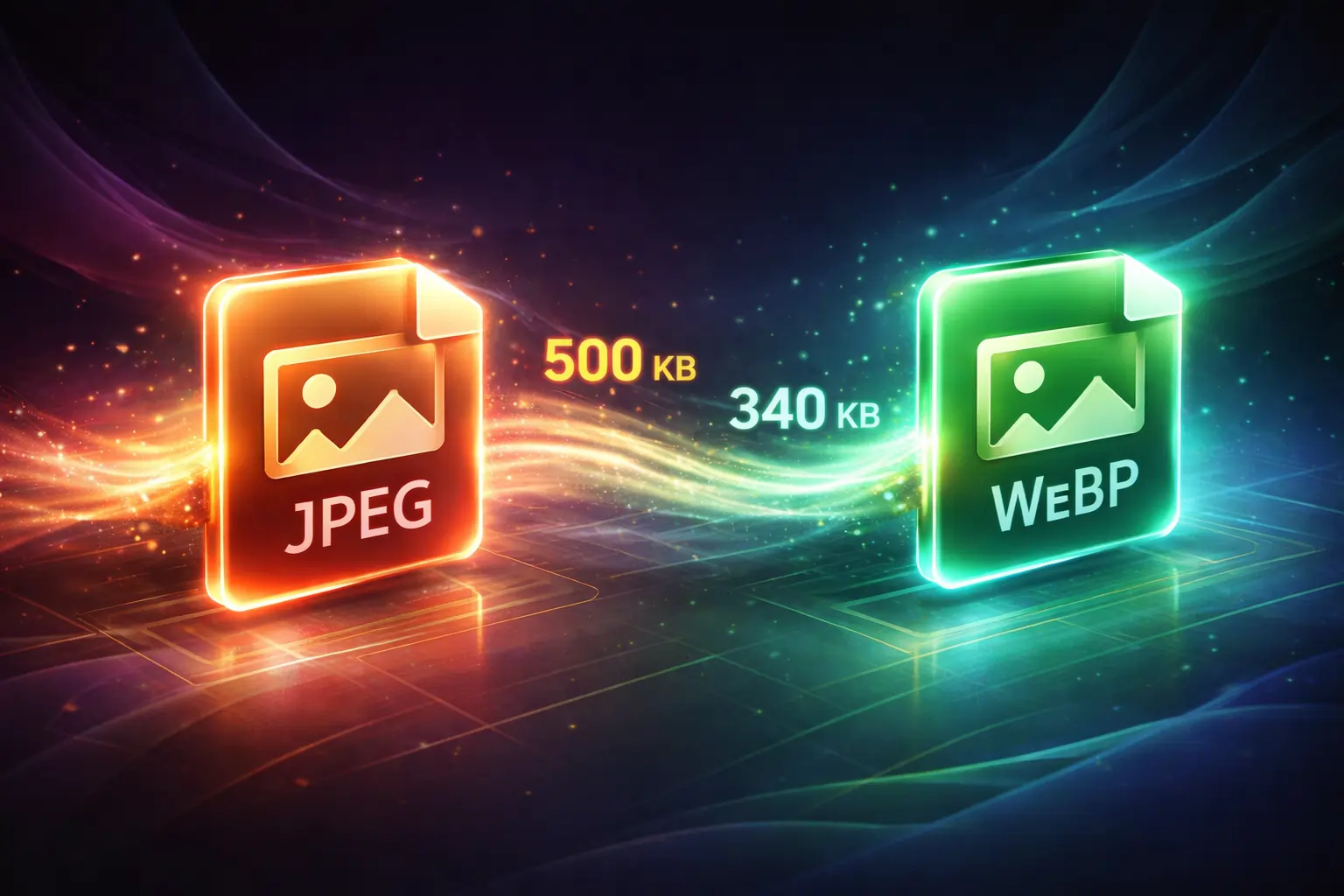
WebP consistently delivers 25–34% smaller file sizes compared to JPG at the same visual quality. A 500 KB JPG typically becomes 330–375 KB in WebP — every KB saved speeds up your page and improves user experience. - ✅ No Quality Loss
WebP supports both lossy and lossless compression modes. Our converter uses high-quality lossy WebP encoding that is visually indistinguishable from the original JPEG — you get a smaller file with no perceptible quality difference. - ✅ 100% Free — No Limits
Convert unlimited JPG files to WebP forever at zero cost. No daily conversion limits, no file count caps, no subscription tiers, and no hidden premium features behind a paywall. - ✅ No Signup Required
Open the tool and convert immediately — no email address, no account creation, no password needed. Zero registration barriers for any feature of this tool. - ✅ Client-Side Privacy
Your JPEG file never leaves your device. All conversion happens locally in your browser. No files are uploaded, stored, analyzed, or shared — ideal for client photos, commercial photography, and confidential business images. - ✅ Remote URL Support
Paste any direct JPG/JPEG image URL from the internet using the "USE REMOTE URL" button. Convert online images to WebP without downloading them first — saves time when optimizing images already hosted on your CDN, Dropbox, or Google Drive. - ✅ No Watermarks
Converted WebP files are 100% clean — no tool branding, no hidden watermarks, no attribution pixels. Your images are completely yours to use commercially without restrictions. - ✅ Works on All Devices
Fully responsive tool works on Windows PCs, Mac laptops, Android phones, iPhones, and tablets. Convert JPG to WebP from any device with a modern browser — Chrome, Firefox, Safari, and Edge all fully supported.
JPG vs WebP: Complete Format Comparison
📑 Table of Contents
- 📌 What is WebP Format?
- 📌 Why Convert JPG to WebP? (SEO Benefits)
- 📌 How to Convert JPG to WebP (5 Easy Steps)
- 📌 Fix Google PageSpeed "Serve Next-Gen Formats" Warning
- 📌 How to Use WebP Images in WordPress
- 📌 WebP Browser Support in 2026
- 📌 Real-World Use Cases
- 📌 Common Issues & Solutions
- 📌 Frequently Asked Questions
- 📌 Related Image Tools
What is WebP Format?
WebP (pronounced "weppy") is a modern image format developed by Google in 2010, designed specifically to replace JPG, PNG, and GIF on the web. It uses advanced compression algorithms — including predictive coding, arithmetic entropy coding, and transform coding — to deliver significantly smaller file sizes without compromising visual quality. WebP supports both lossy compression (like JPG) and lossless compression (like PNG) in a single versatile format.
Unlike JPG, WebP also supports full alpha channel transparency (like PNG), animated images (like GIF), and spatial-predictive lossless encoding. This makes it a true all-in-one replacement for three separate legacy formats. When you convert JPG to WebP, you retain all the visual information of the original JPEG while reducing file size by 25–34%, which directly improves your website's loading speed, bandwidth usage, and server storage costs.
As of 2026, WebP is natively supported by Chrome, Firefox, Safari 14+, Edge, Opera, and virtually all modern mobile browsers — covering over 97% of global web users. Google's own PageSpeed Insights tool and Lighthouse audit explicitly recommend WebP as the preferred format for web images and flag JPG/PNG usage as a performance issue called "Serve images in next-gen formats." Switching your website images from JPG to WebP is one of the single highest-impact steps you can take to improve your Google PageSpeed score.
Why Convert JPG to WebP? (SEO & Performance Benefits)
1. Improve Google PageSpeed Score
Google PageSpeed Insights analyzes your website and explicitly warns: "Serve images in next-gen formats — Image formats like WebP and AVIF often provide better compression than PNG or JPEG." This warning directly costs you PageSpeed points. Converting your JPGs to WebP removes this warning instantly, typically boosting your PageSpeed mobile score by 10–25 points for image-heavy pages like homepages, product pages, and blog posts.
💡 Real Impact Example: A blog page with 8 JPG images at 400 KB each = 3.2 MB total. After converting all 8 to WebP at 25% reduction = 2.4 MB total. That's 800 KB less data loading on every page visit — a huge improvement for mobile users and slow connections.
2. Boost Core Web Vitals (LCP Score)
Google's Core Web Vitals measure real user experience, and Largest Contentful Paint (LCP) — the time it takes for your biggest visible element (usually a hero image) to load — is a direct Google ranking factor. A large JPG hero image can push LCP over 2.5 seconds, triggering a "Poor" rating. Converting your hero JPG to WebP reduces its file size by 25–34%, typically bringing LCP under the 2.5-second "Good" threshold and improving your search rankings.
3. Reduce Server Bandwidth & Hosting Costs
Every visitor who loads your page downloads all your images. If your site gets 10,000 monthly visitors and you reduce image sizes by 25% via WebP conversion, you're saving 25% of your total image bandwidth — which reduces CDN costs, server load, and data transfer fees. For high-traffic websites and e-commerce stores with hundreds of product images, the bandwidth savings from converting JPEG to WebP can be substantial month over month.
4. Improve Mobile User Experience
Over 60% of global web traffic comes from mobile devices, where network speeds vary widely. Mobile users on 3G and 4G connections experience significantly faster image loading when your site serves WebP instead of JPG. Google's mobile-first indexing means your mobile page speed directly determines your rankings — smaller WebP images load faster on mobile, reducing bounce rates and improving time-on-site metrics that Google uses as ranking signals.
5. Future-Proof Your Website
Google continues to increase the weight of page speed and Core Web Vitals as ranking factors with each algorithm update. New image formats like AVIF are emerging, but WebP remains the universally safe and recommended choice for 2026 due to near-perfect browser support (97%+). Switching your site to WebP now positions you ahead of competitors still using JPG and prepares your image infrastructure for future format migrations.
How to Convert JPG to WebP Online (5 Easy Steps)
Step 1 — Open the JPG to WebP Converter
Scroll to the converter tool at the top of this page. It loads instantly in any modern browser — Chrome, Firefox, Safari, or Edge. No plugin, extension, or software download required. Works identically on Windows, Mac, Android, and iOS.
Step 2 — Upload Your JPG Image
Click "Choose File" to select your JPG or JPEG image from your device. The tool accepts all standard JPEG variants — JFIF, EXIF, progressive JPEG, and baseline JPEG — up to 5 MB in size.
Alternatively, click "USE REMOTE URL" to paste a direct JPEG image URL from any publicly accessible web link. Ideal for converting images already hosted online without downloading them first. If your JPG exceeds 5 MB, use our image compressor to reduce the file size before converting.
Step 3 — Complete reCAPTCHA Verification
Tick the "I'm not a robot" Google reCAPTCHA checkbox. This security step protects the free tool from automated abuse and typically takes 1–3 seconds. Occasionally a quick image challenge appears — complete it to continue.
Step 4 — Click Convert
Click the blue "Convert" button. Your JPG processes entirely in your browser — no server upload occurs — using client-side JavaScript encoding. Conversion typically completes in 2–5 seconds for files up to 5 MB. A progress indicator shows conversion status.
Step 5 — Download Your WebP File
Your WebP file downloads automatically to your Downloads folder with a .webp extension. Upload it to your website, CMS, or CDN to replace the original JPG. For WordPress users, the next section shows exactly how to implement WebP images without plugin dependencies.
Fix Google PageSpeed "Serve Next-Gen Formats" Warning
If Google PageSpeed Insights or Lighthouse is showing you the "Serve images in next-gen formats" warning, converting your JPG images to WebP is the direct fix. Here is the complete step-by-step resolution:
Step 1 — Identify Problem Images: Run your page through PageSpeed Insights. In the "Opportunities" section, expand "Serve images in next-gen formats." Google lists every specific JPG/PNG image causing the warning along with the estimated savings in KB for each.
Step 2 — Convert All Listed Images: Download each flagged JPG, convert it to WebP using this tool, and save the converted files with the same base name but a .webp extension. Example: hero-banner.jpg → hero-banner.webp.
Step 3 — Upload & Replace: Upload your converted WebP files to your server via FTP or cPanel and replace the original JPG references in your HTML or CMS. For safe cross-browser compatibility (in case of very old browser users), use the HTML <picture> element:
<picture>
  <source srcset="hero-banner.webp" type="image/webp">
  <source srcset="hero-banner.jpg" type="image/jpeg">
  <img src="hero-banner.jpg" alt="Hero Banner" loading="lazy">
</picture>
Step 4 — Re-Run PageSpeed: Wait 24 hours for Google to re-crawl your pages, then re-run PageSpeed Insights. The "Serve images in next-gen formats" warning should disappear entirely, and you should see measurable improvements in your Performance score, LCP metric, and overall page speed rating.
How to Use WebP Images in WordPress
WordPress natively supports WebP image uploads as of WordPress 5.8 (2021). Here are three methods to implement WebP images in your WordPress site:
Method 1: Direct WebP Upload (WordPress 5.8+)
Convert your JPG images to WebP using this tool, then upload the WebP files directly to your WordPress Media Library via Media → Add New. Insert them into posts and pages exactly like regular JPG images. WordPress 5.8+ accepts WebP files natively — no plugin required. This is the simplest method for new images.
Method 2: WebP Conversion Plugin
For bulk converting existing JPG images already in your WordPress Media Library, use a WebP plugin. Popular options include:
- • Imagify — Auto-converts images to WebP on upload, serves WebP with JPG fallback
- • ShortPixel Image Optimizer — Bulk converts library + new uploads to WebP
- • EWWW Image Optimizer — Free tier available, converts and serves WebP automatically
- • Smush Pro — One-click bulk WebP conversion with automatic serving
Method 3: .htaccess Server-Level WebP Serving
The most efficient method is server-level WebP serving via .htaccess. Convert all your JPGs to WebP using this tool, upload both versions to your server, then add this code to your .htaccess file. Apache automatically serves WebP to supported browsers and JPG as fallback to older browsers:
<IfModule mod_rewrite.c>
  RewriteEngine On
  RewriteCond %{HTTP_ACCEPT} image/webp
  RewriteCond %{DOCUMENT_ROOT}/$1.webp -f
  RewriteRule ^(.*)\.(jpe?g|png)$ $1.webp [T=image/webp,E=accept:1]
</IfModule>

<IfModule mod_headers.c>
  Header append Vary Accept env=REDIRECT_accept
</IfModule>

AddType image/webp .webp
WebP Browser Support in 2026
WebP is now one of the most widely supported image formats on the web, with 97%+ global browser coverage in 2026. The concern about WebP compatibility that existed in 2018–2020 is largely obsolete today:
IE11's market share is under 1% globally in 2026 and is not supported by Microsoft itself. For the remaining <1% of IE users, the <picture> element with JPG fallback ensures they still see your images correctly. This makes WebP a safe, universally deployable image format for any website in 2026.
Real-World Use Cases
🛒 Use Case 1: E-Commerce Product Images
An online store with 200 product images — each 300 KB JPG — has a total image payload of 60 MB per full catalog load. Converting all 200 JPGs to WebP at 25% reduction saves 15 MB of image data. Product pages load 25–34% faster, reducing cart abandonment caused by slow loading. PageSpeed scores improve, which directly improves Google Shopping and organic search rankings for product keywords.
📝 Use Case 2: Blog & Content Website
A blogger posts 3 articles per week, each with 5 JPG images. After switching to WebP, every post loads faster, bounce rate decreases, and Google ranks the site higher for target keywords due to improved Core Web Vitals. The blogger converts each blog image to WebP using this tool before uploading to WordPress — a 30-second extra step that compounds into major SEO gains over months.
🏢 Use Case 3: Corporate Website Refresh
A company's homepage has a 1.2 MB JPG hero image causing a PageSpeed mobile score of 58/100 and an LCP of 4.2 seconds. After converting the hero to WebP (resulting in 820 KB), PageSpeed climbs to 74/100 and LCP drops to 2.8 seconds — crossing from "Poor" to "Needs Improvement." Organic traffic increases 18% over the next 60 days as Google re-evaluates the improved page experience score.
📱 Use Case 4: Mobile-First Landing Page
A digital marketer running Google Ads needs their landing page to achieve a Quality Score of 8+ for lower CPC. Landing page experience is a key Quality Score component, which depends on page speed. By converting all JPG images to WebP using this tool and implementing the .htaccess serving method, mobile load time drops from 4.1s to 2.6s, pushing Quality Score from 6 to 9 and reducing ad cost by 30%.
Common Issues & How to Fix Them
❌ Issue 1: WebP Not Displaying in Browser
Problem: WebP image shows broken image icon in some browsers.
Solution: Use the HTML <picture> element with a JPG fallback as shown in the PageSpeed Fix section above. This ensures 100% of browsers — including very old ones — display your images correctly while modern browsers use the WebP version.
❌ Issue 2: File Exceeds 5 MB Upload Limit
Problem: Upload fails with "file too large" error.
Solution: Use our image compressor or image resizer to bring the JPG under 5 MB first. A JPG scaled to 1920×1080 pixels is typically under 500 KB — well within the limit. You do not need a massive source JPG since WebP output will be even smaller.
❌ Issue 3: WordPress Not Accepting WebP Upload
Problem: WordPress shows "Sorry, this file type is not permitted" when uploading WebP.
Solution: Update your WordPress to version 5.8 or higher — WebP is natively supported from 5.8 onward. Alternatively, add this to your functions.php: add_filter('upload_mimes', function($m){ $m['webp']='image/webp'; return $m; });
❌ Issue 4: WebP Quality Looks Lower Than Original JPG
Problem: The converted WebP image appears blurry or artifacted compared to the original.
Solution: This typically means your source JPG was already heavily compressed. Start with the highest quality JPG available (direct camera export or original design file) before converting to WebP. Converting an already-compressed JPG to WebP compounds the quality loss. For lossless quality preservation, use our PNG to WebP converter with a PNG source instead of JPG.
❌ Issue 5: PageSpeed Still Shows Warning After Conversion
Problem: You converted images to WebP but PageSpeed still flags "Serve next-gen formats."
Solution: Google crawls at its own schedule. Wait 24–48 hours for PageSpeed to recache, then retest. Also verify you've replaced the actual src references in your HTML to point to .webp files, not just uploaded the WebP without updating the image tags. Use browser DevTools → Network tab to confirm the browser is actually loading .webp files.
Frequently Asked Questions
Can I convert JPG to WebP for free?
Yes, our JPG to WebP converter is 100% free with no hidden charges, no conversion limits, and no watermarks. All features — file upload, remote URL, client-side processing, and instant download — are available to every user at zero cost with no registration required.
Does converting JPG to WebP reduce image quality?
With a high-quality source JPG, the visual difference between the original and the WebP output is imperceptible to the human eye. WebP's lossy compression algorithm is more efficient than JPEG's — it achieves smaller files while retaining more visual detail. At standard quality settings, converting JPEG to WebP produces a visually identical image that is 25–34% smaller. Quality loss only becomes noticeable if you start with an already heavily compressed source JPG.
How much smaller is WebP compared to JPG?
WebP images are typically 25–34% smaller than equivalent JPEG files at the same visual quality. Google's own benchmark studies show WebP lossy compression produces files 25–34% smaller than JPEG, and WebP lossless compression produces files 26% smaller than PNG. Real-world results vary by image content — photographs see 20–30% reduction, while graphics and flat illustrations can see 40–60% reduction.
Is WebP better than JPG for SEO?
Yes. WebP improves SEO in several measurable ways: it reduces page load time (direct ranking factor), improves Core Web Vitals LCP score (direct ranking signal since 2021), and eliminates the "Serve next-gen formats" PageSpeed warning that costs you performance points. Google recommends WebP for web images in its official documentation, making JPG to WebP conversion one of the highest-ROI technical SEO improvements you can make.
Is my JPG uploaded to a server during conversion?
No. All processing happens entirely inside your web browser using client-side JavaScript. Your JPG file never leaves your device or gets transmitted to any external server. This makes the tool completely private and safe for converting confidential product photos, client images, and proprietary business assets.
How do I convert JPG to WebP on Windows 11?
The easiest way to convert JPG to WebP on Windows 11 is to use this online tool directly in Edge or Chrome — no software installation required. Open chanduseotool.com/convert-jpg-to-webp, upload your JPG (up to 5 MB), complete reCAPTCHA, and click Convert. The WebP file downloads to your Windows Downloads folder in seconds.
Does WebP support transparent backgrounds?
Yes — WebP supports full alpha channel transparency, unlike JPG which does not support transparency at all. However, since this tool converts JPG (which has no transparency) to WebP, the output will not have transparency. If you need transparent WebP output, start with a PNG source file and use our PNG to WebP converter instead.
Can I convert JPG to WebP in bulk?
This tool converts one file at a time. For bulk conversion of large image libraries, WordPress users can use the Imagify or ShortPixel plugins to batch convert all existing media library images to WebP in one operation. For non-WordPress websites, tools like cwebp (Google's official command-line WebP encoder) can batch convert entire directories of JPG files to WebP via a single terminal command.
Will switching to WebP break my website's images?
No — as long as you update your HTML image src references to point to the new WebP files, or use the <picture> element with JPG fallback. Since WebP has 97%+ browser support in 2026, the vast majority of users will see WebP automatically. The <picture> fallback ensures the tiny fraction on very old browsers still sees the JPG version seamlessly.
What is the maximum file size for JPG to WebP conversion?
This tool accepts JPG files up to 5 MB per conversion. This covers virtually all web-use JPEG images since most optimized web JPGs are under 1 MB. For camera RAW exports or print-quality JPGs larger than 5 MB, use our image resizer to scale to web dimensions first.
How long does JPG to WebP conversion take?
Conversion typically completes in 2–5 seconds for files up to 5 MB, since processing runs client-side in your browser without a server round-trip. Speed depends on your device's CPU — even on budget smartphones, conversion completes in under 10 seconds.
Can I use the converted WebP images commercially?
Absolutely. The converted WebP files are yours to use for any purpose — commercial websites, client projects, e-commerce stores, digital marketing campaigns, or any other application — without attribution, licensing fees, or restrictions from this tool. The output is your own image in a different format.
Related Free Image Tools
🔄 Image Format Converters
- 🔄 PNG to WebP Converter
Convert PNG images to WebP — preserves full transparency while reducing file size by 26% for faster website loading. - 🔄 WebP to JPG Converter
Convert WebP back to JPG — for software, apps, and platforms that don't yet support WebP format. - 🔄 WebP to PNG Converter
Convert WebP to PNG for editing in design tools like Photoshop, Figma, Canva, and GIMP. - 🔄 PNG to ICO Converter
Create favicon ICO files from PNG logos — essential for website favicons and Windows app icons. - 🔄 JPG to GIF Converter
Convert JPG images to animated or static GIF format for social media and messaging apps. - 🔄 JPG to ICO Converter
Convert JPEG images directly to ICO format for website favicons and Windows desktop icons.
🛠️ Image Optimization Tools
- 🗜️ Image Compressor
Compress JPG files exceeding the 5 MB limit before WebP conversion, or reduce any image file size for faster web serving. - 📐 Image Resizer
Resize large JPG images to web dimensions before converting to WebP for maximum performance and minimum file size. - 🔃 Flip Image Online
Flip or mirror JPG images horizontally or vertically — then convert to WebP for final web-optimized output. - 🎨 Image to Base64
Encode images to Base64 strings for embedding directly in HTML and CSS — eliminate additional HTTP requests for small icons and thumbnails.
⚡ Optimize Your Images Right Now
Convert JPG to WebP — 25–34% Smaller Files · Instant Download · 100% Free
5 MB Support · No Signup · No Watermarks · Client-Side Privacy · Unlimited Conversions
Convert JPG to WebP Free ⚡✅ Improve Google PageSpeed · Fix Core Web Vitals · Boost SEO Rankings

Popular Tools
Recent Posts


